Step-by-step guides
Real screenshots, a worked example and fixes for common problems, each with the free tool to do it.
📚 Counter Billing step by step
From the first set-up to café tables, the kitchen screen and the owner dashboard. Each part is one job at the counter. All 21 parts
1
How to set up Counter Billing for your shop (first time)Tea stalls, juice and snack stalls, cafés, bakeries, sweet shops and small shops starting with Counter BillingCounter Billing · 5 min
2
How to make a bill in Counter Billing: items, discount, cash, UPI, cardOwners and counter staff at tea stalls, food stalls, cafés and small shopsCounter Billing · 3 min
3
GST tax invoice, bill of supply or plain bill: which to give and howRestaurants, cafés, sweet shops and stalls registered for GST (regular or composition), and anyone unsure which bill to giveCounter Billing · 4 min
4
How to print or share a bill: 58/80 mm thermal, A4, WhatsApp, receipt QR, PDFShops with a small receipt printer, shops without one, and anyone whose customers ask for a billCounter Billing · 4 min
5
How to add and edit menu items in Counter Billing (prices, photos, sizes, extras)Tea stalls, juice and snack stalls, cafés and small shops that bill from a picture menuCounter Billing · 4 min
6
How to close the day in Counter Billing: count the cash and save the Z reportOwners and cashiers of stalls, cafés and small shops at closing timeCounter Billing · 3 min
7
How to see sales reports and send the monthly GST summary to your CAShop and café owners, and the accountant or CA who files their GSTCounter Billing · 4 min
8
How to back up Counter Billing, restore it on a new phone or PC, and lock it with a PINEvery shop using Counter Billing, before the phone gets lost, broken or resetCounter Billing · 4 min
9
How to run tables and running orders in a café with Counter BillingCafés, tiffin centres, bakeries and small restaurants with tablesCounter Billing · 6 min
10
How to connect a kitchen screen: phone or tablet by QR, or a second PC by codeCafé and restaurant owners whose kitchen should see orders (KOTs) on a screenCounter Billing · 4 min
11
How to send KOTs to the kitchen and track them until servedCafés and restaurants with a kitchen, after linking a kitchen screen or printerCounter Billing · 5 min
12
How to bill from two counters at once in Counter BillingCafés, bakeries and stalls with a takeaway window, an online-orders desk or a second cash counterCounter Billing · 7 min
13
How to add staff with their own PIN and permissions in Counter BillingCafé, bakery and tiffin centre owners with 1–3 helpers at the counterCounter Billing · 6 min
14
How to open a shift, record cash in and out, and close the shift in Counter BillingCafés and stalls with more than one shift or more than one person handling the cash boxCounter Billing · 5 min
15
How to refund a bill with a credit note in Counter Billing (void or refund?)Shops and cafés that sometimes take an item back or charged too muchCounter Billing · 5 min
16
How to give udhaar (credit) and collect dues in Counter BillingShops and cafés with regular customers, offices or hostels who pay laterCounter Billing · 4 min
17
How to track stock with recipes in Counter Billing (milk, cups, bread)Cafés, tea stalls and bakeries that run out of milk or cups at the busiest hourCounter Billing · 6 min
18
How to read the Counter Billing owner dashboard (and spot revenue leakage)Owners who want to know in two minutes how the day went and where money slips awayCounter Billing · 6 min
19
How to see your shop’s sales on your own phone with the Counter Billing owner viewShop and café owners who are not always at the counterCounter Billing · 7 min
20
How to set up Counter Billing for a medical store and import your medicinesRetail medical stores and pharmacies in IndiaCounter Billing · 10 min
21
How to bill medicines in Counter Billing: batches, expiry, Schedule H1 and returnsPharmacists and counter staff of retail medical stores in IndiaCounter Billing · 10 min
📚 Print Drop for shops
Set up the counter QR, see what customers do, print from a phone, and run it in a copy shop abroad. All 4 parts
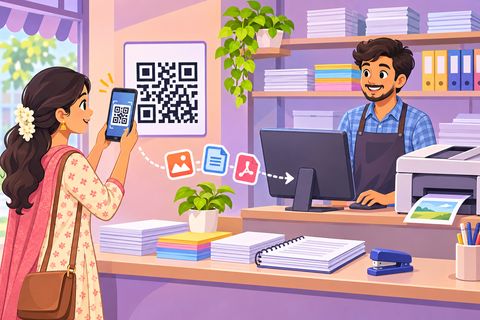 1
How to set up Print Drop in your xerox shopXerox, print and internet-centre owners and their counter staffPrint Drop · 2 min
 2
How to send files to a xerox shop without WhatsAppStudents, job seekers and anyone printing at a shop that has a Print Drop QRPrint Drop · 1 min
 3
How to print from your phone at a xerox shopAnyone whose document is on the phone: in WhatsApp, Telegram, Downloads or the galleryPrint Drop · 2 min
4
How copy shops can receive student files without WhatsApp, email or USBCopy shops and print centres near universities, colleges and schoolsPrint Drop · 3 min
📚 Photos without WhatsApp
Studio delivery with a token and PIN, photographers sending full-quality photos, and one QR for a whole event. All 3 parts
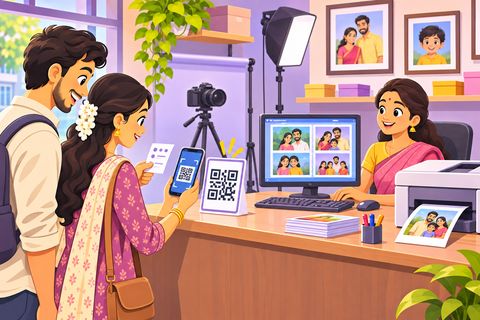 1
How to give studio customers their photos with a token and PINPhoto studios, photo labs and shops with a counterPhoto Studio Drop · 3 min
 2
How to send photos to customers without WhatsApp (for photographers)Freelance photographers at monuments, beaches, parks, fairs and eventsPhoto Drop · 2 min
3
How to share event photos with every guest using one QREvent photographers, and families sharing birthday or function photosPhoto Drop · 3 min
Drop: send files by QR
Send files, photos and notes by scanning a QR. No WhatsApp, no numbers, nothing stored.
Exam photo & signature sizes
Photo, signature and KB rules for exam and job forms, and how to meet them on your phone.
SSC CGL 2026 Photo and Signature Size: Rules and How to ResizeWhat SSC asks for in 2026, why forms get rejected, and how to get the signature right the first time.
IBPS & SBI 2026 Photo, Signature, Thumb and Declaration Size GuideBank exams need four separate files. Here is the size of each, the declaration text, and the mistakes that get forms rejected.
NEET UG 2026 Photo Size, Signature and Thumb Impression RulesThe NTA rules for the NEET photo, signature and finger impressions, explained simply, with a checklist before you upload.
UPSC 2026 Photo and Signature Size: Rules ExplainedUPSC asks for an uploaded photo, a live photo and a signature written three times. Here is how to get each right.
How to Reduce Photo Size to 20 KB (Phone and PC)Phone photos are 3–5 MB, but forms often want 20 KB. Here is the quickest way to shrink a photo without making it blurry.